Meetings, minus the memory test
Zoned out for a minute? Not sure what you agreed to? Lola Notes holds the call for you. Afterwards it shows you what's yours, and where to start, and nothing else until you ask.
Your to-dos first. Start with one.
Notes open on what you said you'd do: "Two to-dos are yours. Start with the churn analysis." Each to-do says who asked and when it's due.
Each one also comes with one next move, so starting is small: the email is already drafted, or a free 45 minutes is found for you. Or turn on One at a time and see only the next one.
The summary, decisions and everyone else's to-dos wait below.
How your to-dos look in Lola Notes. Sample meeting.
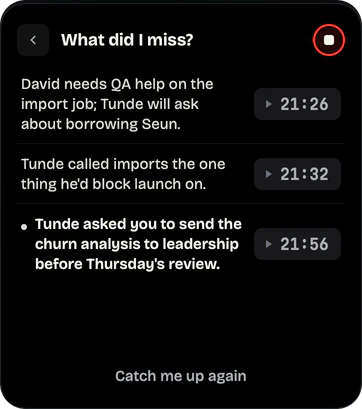
Drifted off? Ask what you missed
Tap What did I miss? during the call. You get up to three short points from the last few minutes. Anything asked of you is marked with a dot.
Or tap Was I asked anything? No need to interrupt, and no need to admit you were somewhere else. Only you see the answer.
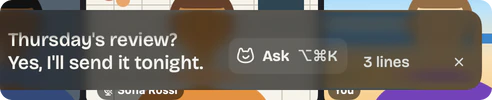
Captions keep you anchored
Turn on live captions and the words appear on glass over the call. The text is big, and you can drag the captions anywhere, resize them, or make them full screen to reread everything so far.
They are transcribed on your Mac. Handy in noisy calls, or when your attention needs something to hold.
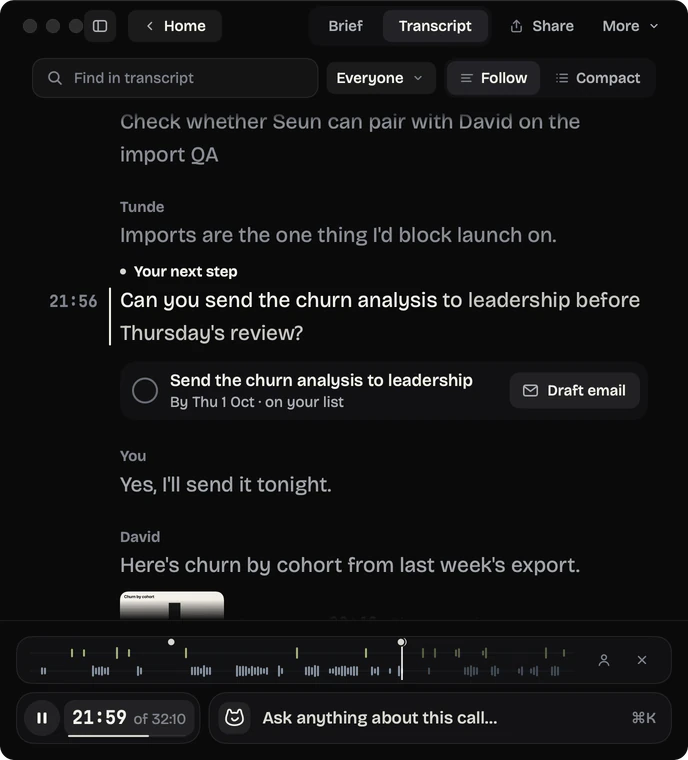
Read along, word by word
Play a recording and the transcript follows it word by word, in large text. The line being said stays brighter than the rest, so your eyes don't have to hunt for your place.
One button. Big text. No clutter.
Every screen has one obvious next action. Everything else is behind "More". Text is large and plain, in sentence case. When a call starts, it asks once, then stays quiet.
One thing to press
Record this call. Stop and make notes. Open the brief. Each screen offers one main action.
Stop is one click away
While you record, Stop is in the timer, in the menu bar, and on ⌥⌘R. Drag the timer wherever it bothers you least.
One green button
Green marks one thing only: the next move on your first to-do. Everything else stays calm and gray.
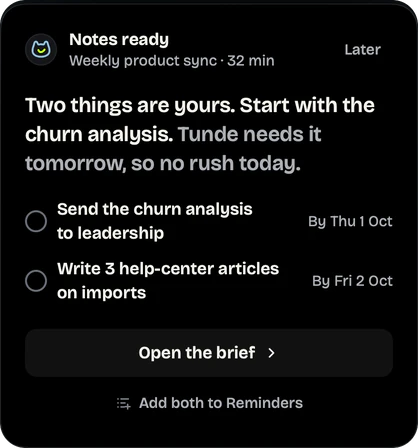
From call to your next move
When notes are ready, a card appears under the menu bar. It says what's yours and where to start, with one button: Open the brief.
Prefer your own to-do app? Add both to Reminders sits right under it, or let Lola Notes add your to-dos to Reminders after every call.
Find the promise later
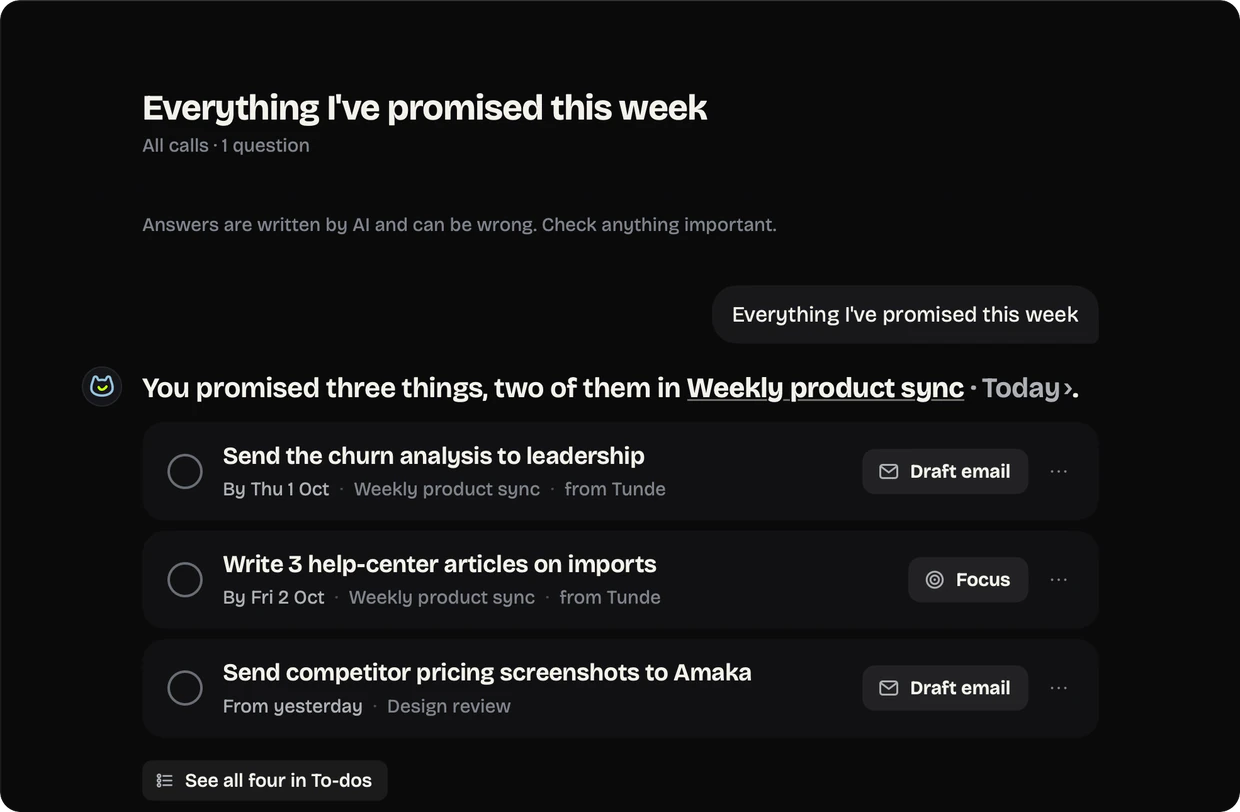
Forgot what you promised on Tuesday? Ask: "Everything I've promised this week". You get a short list, each linked to its call, with a drafted email or a Focus button to start.
Everything I've promised this week
You promised three things, two of them in Weekly product sync.
- Send the churn analysis to leadership, by Thursday 22:06
- Write 3 help-center articles on imports, by Friday 8:21
- Send competitor pricing screenshots to Amaka Design review 17:40
A sample answer. Names are made up.
5 small habits that help
Working memory is the "hold this for a second" part of thinking. ADDitude explains why it is often harder with ADHD. These habits move the holding out of your head.
- Mark the moment instead of writing. One tap now beats a half-written note.
- Do the first small step before you close the laptop. Open the brief, or add your to-dos to Reminders in one click.
- Ask "What did I miss?" instead of asking the room. Then rejoin.
- Read what's yours within five minutes. While the call is still fresh.
- Turn on captions in noisy calls. Reading along can help you stay with it.
Want a version on paper? Use the free ADHD meeting notes template.
Questions
Is Lola Notes a treatment for ADHD?
No. It is a note-taking app. It is designed to be calm and ADHD-friendly, but it doesn't diagnose, treat or fix anything. It just holds the meeting so you don't have to.
Do I have to look at Lola Notes during the call?
No. Start it and forget it. If you drift, "What did I miss?" is there. Everything else waits until the call is over. Lola Notes even stops when the call does.
What does it cost, and is there setup?
Free gives you 120 minutes of AI notes a month, for any number of meetings. There's nothing to set up: sign in with your email, with no API key and no card. Pro is $12 a month or $115 a year, with up to 15 hours of AI notes a month. See the plans.
Also read: how Lola Notes works and what stays on your Mac.
Get early access
Leave your email and we'll tell you when you can try Lola Notes. The Free plan needs no card.